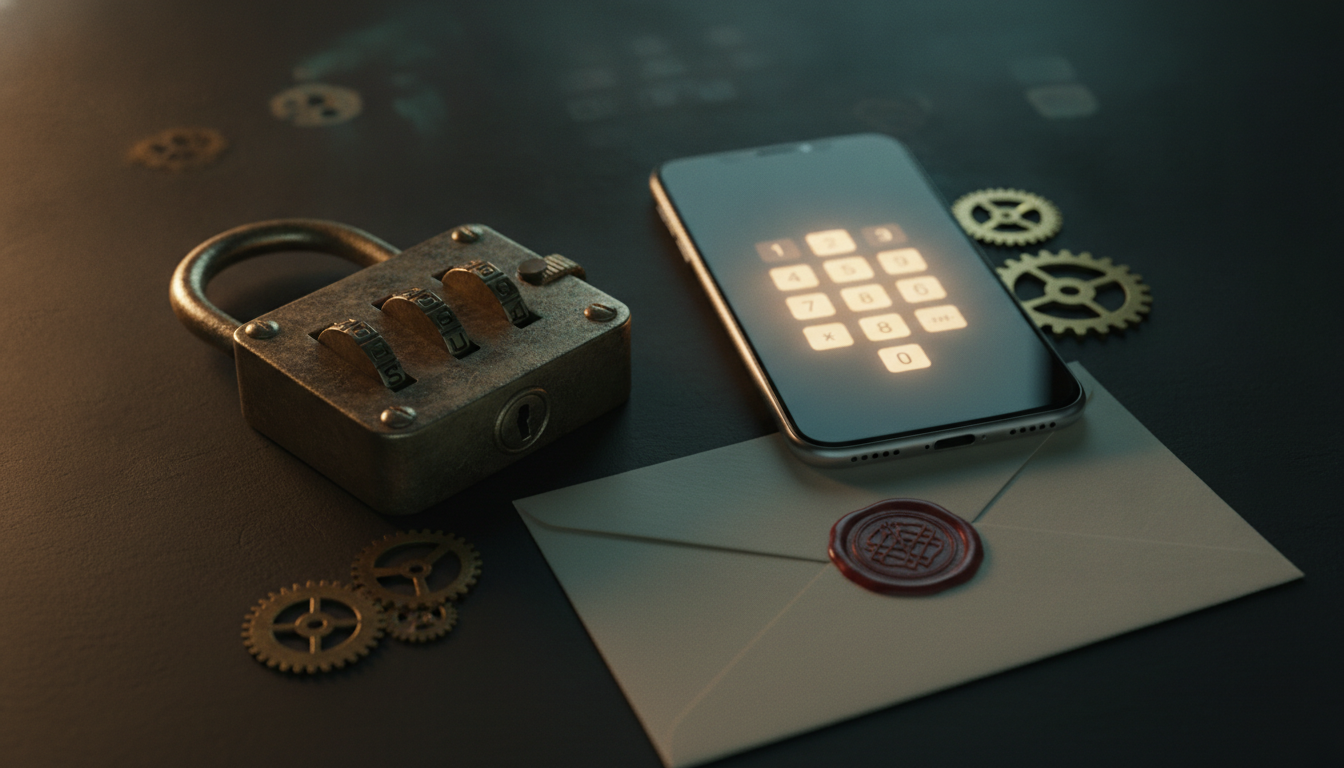
Escape room locks shape the entire rhythm of a game. A physical padlock can create a satisfying click when players crack a code, while a virtual lock can turn the same answer into a password, pattern, color sequence, musical puzzle or GPS challenge on a phone. My rule of thumb is simple: use physical locks when touch is part of the story, virtual locks when flexibility and fast resets matter, and combine both when you want the strongest overall experience.
We build Lock Challenge around that second use case, so we have a clear bias toward removing setup friction. Our own Google Search Console data for Lock Challenge already shows search visibility around queries such as "online lock for escape room" and "virtual locks", which is why we treat this as a core use case rather than a theoretical one. I would not replace every prop with a screen, though. The useful question is not which technology wins. It is which lock makes each checkpoint more satisfying for the player.
- Physical locks deliver the strongest tactile payoff but require hardware, resets and maintenance.
- Virtual locks are easier to reuse, scale and share, with more input mechanics than a typical padlock kit.
- QR codes make it easy to combine physical discovery with a digital lock challenge.
- For most classrooms, temporary events and portable games, a hybrid or virtual-first setup is the most practical starting point.
What counts as an escape room lock?
An escape room lock is any mechanism that blocks progress until players provide the correct solution. Traditional rooms use keyed padlocks, combination locks, directional locks, letter locks, magnetic mechanisms and electronic keypads. Digital games use the same principle but replace the hardware with an interactive screen.
The important part is not the object itself. The lock is the checkpoint between a clue and the next piece of the game. Players solve a puzzle, convert the solution into an input, enter that input, and receive immediate feedback.
If you want to test the digital approach first, you can create a virtual lock and share it as a link or QR code without buying any hardware.
Physical locks
Physical locks require a real object to open. Common examples include 3-digit or 4-digit combination padlocks, word locks, keyed padlocks and directional locks. They work especially well when the tactile experience is part of the story.
A physical lock also creates a shared focal point. A group can gather around the box, debate the code and experience the opening together. That is difficult to reproduce exactly on a phone.
Virtual locks
Virtual locks reproduce the same solve-and-unlock loop in a browser. Instead of turning metal dials, players enter a number, draw a pattern, tap directions, choose colors, play notes or verify a location.
They are particularly useful for portable games, classrooms, team-building activities, scavenger hunts and events because there is nothing to carry, replace or reset manually. You can also chain multiple locks into a sequence and distribute the game with one URL or a QR code.
For a broader overview of how the mechanics work, see our guide to creating a digital escape game for the classroom.
Virtual vs physical escape room locks: quick comparison
| Factor | Physical locks | Virtual locks |
|---|---|---|
| Upfront cost | Requires locks, boxes and replacement hardware | Can start with no hardware |
| Reset time | Manual reset after each group | Usually instant |
| Portability | Equipment must travel with the game | Link or QR code can travel anywhere |
| Puzzle variety | Limited by the hardware you own | Numeric, pattern, direction, color, password, GPS, musical and more |
| Tactile immersion | Excellent | Lower |
| Remote play | Difficult | Easy |
| Maintenance | Locks can jam, break or have codes changed | No mechanical wear |
| Scaling to many groups | Requires duplicate hardware or staggered sessions | Easy to duplicate digitally |
| Analytics | Usually manual | Attempts and completion data can be tracked |
| Best fit | Permanent rooms and tactile scenarios | Events, education, mobile games and repeatable challenges |
When physical locks are the better choice
Digital tools are flexible, but physical locks still have clear advantages. A strong escape room does not need to eliminate hardware just because virtual options exist.
You want tactile immersion
The sound and feel of a real lock opening can be part of the reward. If players are exploring a pirate chest, a prison cell or a detective office, a real padlock can reinforce the fiction better than a screen.
For permanent commercial rooms, tactile props also help the environment feel intentionally built rather than assembled from generic web tools.
The object itself is part of the puzzle
Some puzzles depend on manipulating an object. Players may need to align symbols on rotating rings, discover a hidden keyhole or physically move a mechanism. In those cases, replacing the lock with a digital interface would remove part of the puzzle rather than simplify it.
You want a screen-free experience
Schools, retreats and some corporate events intentionally reduce phone use. Physical locks keep attention in the room and make it easier to design a fully offline activity.
A well-built physical game can also be easier for very young players who are not comfortable switching between printed clues and a browser.
When virtual locks are the better choice
Virtual locks become much more attractive when the game must be easy to distribute, reset or adapt.
You run the same game for many groups
A physical kit must be reset after every session. If ten groups play during an event, someone has to close every box, restore every clue and confirm every combination between runs.
With virtual locks, the lock state can reset automatically. This is especially useful for classrooms, onboarding activities, conferences and team-building sessions where several groups may play in parallel.
You need more puzzle mechanics without buying more hardware
A standard physical kit may include numeric, letter and directional locks. Adding more variety usually means buying new equipment.
A virtual platform can offer many mechanics from the same interface. A numeric answer can open one stage, a pattern another, then a color sequence or GPS checkpoint can finish the game. This gives the designer more ways to match the lock to the clue rather than forcing every solution into four digits.
If you need inspiration for the clue itself, our list of 50 escape room clue ideas covers ciphers, physical observations, logic puzzles, hidden messages and final combinations.
You are building a portable or temporary escape game
Portable games are where digital locks solve the most operational problems. Instead of transporting ten padlocks, ten boxes and backup keys, you can print a few clue sheets and QR codes, then run the lock logic online.
This matters for birthday parties, school activities, hotel events, corporate workshops and pop-up experiences. The organizer can rebuild the same game in another room without matching the original furniture or hardware.
You want to use QR codes as part of the game
QR codes are a natural bridge between the physical and digital parts of a game. A code can be hidden under a chair, attached to a prop or placed at a checkpoint. Scanning it opens a lock instead of revealing the next clue immediately.
That extra step is useful because scanning alone is not a puzzle. The lock creates a challenge between discovery and reward. See 20 QR code game ideas for classroom, event and treasure-hunt examples.
You want remote players to participate
Physical locks assume everyone is in the same place. Virtual locks can be solved from another room, city or country as long as the player has the clue and the link.
This makes them useful for hybrid events, remote team building and online teaching. You can send different clues to different players and require collaboration before anyone can open the final lock.
Cost: how much do escape room locks really cost?
The cheapest physical combination padlocks are not expensive individually, but the total grows when you build a full kit. A game may require several locks, boxes, spare keys, printed labels, replacement locks and duplicate hardware if multiple teams play at once.
Physical hardware also has a hidden cost: reset time. For a one-off party this barely matters. For a teacher running the activity five times, or an organizer handling dozens of teams, it becomes part of the workload.
Virtual locks shift the cost away from hardware. The tradeoff is that players need a phone, tablet or computer and usually an internet connection. For most temporary or repeatable games, this is a favorable exchange because the same digital setup can be reused without buying another kit.
Room Escape Artist's guide to number locks shows how much attention experienced designers give even to choosing reliable physical hardware. Mechanical quality matters because locks that are difficult to reset or easy to misconfigure create friction for both players and operators.
Reliability: what happens when players make mistakes?
A lock is supposed to test the solution, not the player's ability to operate the mechanism. Reliability therefore matters more than novelty.
Common problems with physical locks
Players may accidentally change a resettable combination, pull too hard on a shackle, enter the correct directional code incorrectly or assume a sticky mechanism means their answer is wrong. Organizers also lose keys and forget to restore combinations between sessions.
These are small problems until a group is racing a timer. Then a hardware issue can look exactly like a puzzle failure.
Common problems with virtual locks
Virtual locks depend on device compatibility, browser access and connectivity. A poorly designed interface can also make an otherwise simple puzzle frustrating.
The best digital setup is mobile-first, requires no app installation for players and gives immediate feedback when an answer is incorrect. Before launching a game, test every lock on at least two phones and one desktop browser.
The hybrid approach is often the strongest
For many escape games, the most effective setup combines both systems. Use physical objects where touch and discovery matter, and virtual locks where flexibility, automation or unusual inputs add value.
Example: a 5-step hybrid escape game
- Players find a paper cipher hidden inside a physical book.
- The decoded answer opens a real 4-digit padlock on a box.
- Inside the box is a QR code that opens a virtual pattern lock.
- Solving the pattern reveals GPS coordinates for the next checkpoint.
- At the location, a final password lock reveals the winning message.
The first lock gives the group a tactile payoff. The digital stages then expand the game beyond what a small hardware kit could easily support.
Example: classroom version
A teacher can place printed clues at four stations while keeping all answers inside virtual locks. Students still move around the classroom and collaborate physically, but there are no boxes to reset between classes.
This active problem-solving format also fits the OECD Learning Compass 2030, which emphasizes student agency and learners taking an active role rather than only receiving fixed instructions. The final lock can reveal a bonus question, a victory message or a link to the next lesson.
For a complete structure, use our digital escape game classroom guide as the starting template.
Example: corporate team-building version
Give each team a different envelope containing the first clue. Their answer opens a virtual directional lock, which reveals a second challenge. The final stage can require teams to combine information, preventing one fast player from doing everything alone.
This structure works well in meeting rooms because the organizer only needs printed materials and QR codes. It can also scale from two teams to twenty without buying twenty identical lock kits.
How to choose the right lock for each puzzle
A common design mistake is writing the clue first and forcing its answer into whatever lock is available. A better approach is to match the lock input to the type of reasoning the clue requires.
Use numeric locks for calculations and ordered facts
Dates, counts, coordinates, equations and quantities naturally produce numbers. A numeric lock is also ideal for the first stage because players understand the interaction immediately.
Use pattern or directional locks for spatial clues
Maps, floor plans, arrows, movement instructions and visual paths are more satisfying when the answer stays spatial. Translating "north, east, east, south" into the number 1223 adds unnecessary conversion.
Use password locks for language and deduction
Riddles, acrostics, decoded words and character names fit a password lock. Make spelling rules clear so players do not lose time wondering about capitalization or spaces.
Use color and musical locks for sensory clues
If the clue is based on a sequence of colors or notes, let players enter that same sequence. The closer the input mechanism matches the clue, the more natural the solve feels.
Use GPS locks for movement-based games
A GPS checkpoint can verify that players physically reached a location. This is useful for city treasure hunts, campuses, resorts and outdoor team-building routes.
Avoid GPS when precise location is not part of the experience. Indoor positioning can be unreliable, and a location check should never exist only because the technology is available.
A practical decision framework
Choose physical locks when tactile immersion is central, the game is permanent, the object itself is part of the puzzle, or you intentionally want a screen-free activity.
Choose virtual locks when you need fast resets, many simultaneous teams, remote access, portable setup, unusual puzzle mechanics, QR code distribution or easy reuse.
Choose a hybrid system when you want the atmosphere of physical props without accepting the cost and reset burden of making every checkpoint mechanical.
For most classrooms, temporary events and portable games, we recommend starting digital. You can always add one or two physical locks later where they provide a memorable payoff, and that is usually more effective than buying hardware before you know which puzzles actually need it.
Frequently asked questions
What locks are commonly used in escape rooms?
The most common physical options are keyed padlocks, 3-digit and 4-digit combination locks, letter locks, directional locks and electronic keypads. Digital escape games can add password, pattern, color, switches, musical, map and GPS mechanics without extra hardware.
Are virtual escape room locks free?
Some virtual lock tools offer a free tier. Lock Challenge lets you create and share virtual locks with links and QR codes, with a free plan available for getting started. You can create your first lock here.
Can I use virtual locks in a real-life escape room?
Yes. A virtual lock can sit behind a QR code attached to a physical prop. Players still search the room normally, but scanning the code opens an interactive lock on their phone. This hybrid setup is especially useful when you want puzzle types that would be expensive or difficult to reproduce physically.
Do players need to install an app?
Not necessarily. Browser-based virtual locks can open directly from a link or QR code. Avoid requiring an app unless the game genuinely needs phone hardware that a browser cannot access.
How many locks should an escape room have?
There is no fixed number. A short 15-minute activity may only need three or four checkpoints, while a full-length room can use many more. Focus on pacing and variety. Every lock should mark meaningful progress rather than simply add another code to enter.
Are digital locks secure enough to hide content?
They can be, provided the secret content is verified and delivered server-side rather than embedded openly in the page. For game design, the practical goal is to prevent casual bypassing while keeping the player experience fast and reliable.