Skip to content

A custom virtual lock, designed to look like the occasion

Lock Challenge is not a bare code pad. Every virtual lock can be dressed: a theme that paints the page and the keypad together, a filmed object (a treasure chest, a safe, a vault door, a gift box) that fidgets while the lock holds and opens on video, with sound, when it gives way, a typeface, a celebration for the moment it opens, your own logo and a designed reveal. Lock Challenge is the only virtual lock tool with filmed unlock animations, and nothing is more fun to receive than one of these locks. You design it in the builder on a live preview that is exactly what your players will see, and you can try every option before paying anything.

Written answer

Clue:

The magic word to open.

Themes that dress the whole screen

There are 51 designed themes, in two families: flat colours and gradients. A theme is not a background colour. It sets the page, the keypad, the ink, the accent and whether the lock reads light or dark, all at once, so the pad never looks pasted onto somebody else's page. There is no free colour picker, on purpose: the colours come in combinations chosen to stay legible, including loud ones that survive a projector or a printed poster. A free lock keeps the plain default look; the themes come with the Event Pass or Pro.

Filmed objects that open with the lock

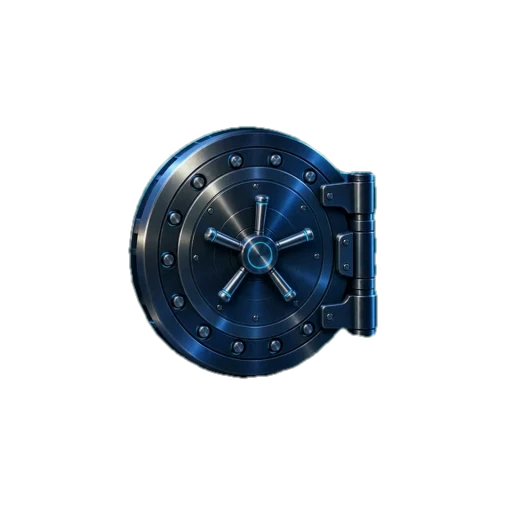
45 filmed objects, each shot closed and opening: a treasure chest, a safe, a vault door, a wooden door, a gift box, a ring case, a locker, a suitcase, a music box, a time capsule, a briefcase, a champagne crate, a coupon, an arcade cabinet, an airlock, a crypt gate, a dragon egg, a jack-o'-lantern, a snow globe, a mailbox, a pearl shell and more. The object fidgets while the lock holds, then opens on video, with sound, the moment the right answer goes in, and the reward arrives inside it. No other virtual lock tool opens its locks on film. You can instead upload your own two pictures, JPEG, PNG or WebP up to 5 MB each: the parcel as wrapped, then what was inside. Both come with the Event Pass and Pro.

Typeface, text size and the moment it opens

Choose from 37 typefaces, from a classic serif to handwriting, a typewriter and a poster face, and 6 text sizes, from a phone held in one hand to a screen across a room. The size applies to the title, the clue and the reveal, never to the keypad, so the keys stay the size of a thumb. When the lock opens, one of 36 celebrations plays over the film, each with its own sound: confetti, fireworks, hearts, gold, petals, lanterns, snow and others. All of it comes with the Event Pass and Pro.

Your logo, placed the way a brand needs

Add your logo in 4 styles: a signature above the title, a repeating pattern, an engraved plate at the foot of the card, or one large, faint watermark behind the lock. Set its alignment, size and opacity, put a light or dark backing behind it when it would melt into the theme, show a second logo once the lock is open, and add a short caption and a link. The Lock Challenge branding comes off from the Event Pass up. Commercial use, such as selling a game or running one for a client, is part of Pro.

Free on every plan: the reveal and every word

What appears after the solve is designed too, and it costs nothing. HTML reveals come with ready-made blocks, edited visually or as code: cards, letters, tickets, stamps, gradient headlines, chips, numbered steps and a cascade entrance where items arrive one after another. Image, audio, YouTube and button reveals are free as well, and so is the emoji picker. Every word on screen is yours: the brief, the hint, the wrong-answer message and a near-miss message for an answer that was almost right.

Try every option before you pay

Every theme, filmed object, typeface, celebration and logo setting can be tried in the builder, on a live preview identical to the player's view and in a full-screen test mode. A plan is only asked for when you publish. The Event Pass costs $7.90 for 15 days or $9.90 for 30 days, paid once; Pro is $14.90 a month or $99 a year.

Designed down to the last detail

Style every pixel of the lock, and watch it open on film.

Nothing on the screen is fixed. Pick a theme, choose a filmed object that fidgets while the lock holds and opens on video, with sound, when the code is right, then a celebration for the moment it opens. Set the typeface and size, and end on your own reveal. Your players see exactly the screen you designed.

Colours

51 themes, and more in the builder. Each one paints the lock, its keys and its button.

Video animations

45 filmed objects that fidget while the lock holds and open on video, with sound, when the lock gives way.

Empty rusty boxScrollRing boxEmpty puzzle boxSafePirate chestChampagne crateLockerSuitcaseMusic boxEvidence boxVault doorGift boxArcade cabinetAirlock

Typeface and size

37 typefaces and 6 text sizes, from a phone in hand to a screen across the room.

Or your own two pictures

Upload a closed and an open picture: the parcel as wrapped, then what was inside. Included with the Event Pass and Pro.

Every theme, every filmed animation, your own pictures, the celebrations, typefaces and text sizes come with the Event Pass or Pro. A basic lock keeps the default theme.

Build yours →
51
themes
45
filmed animations
37
typefaces
36
celebrations
15
lock types
5
player languages

Templates

Playable examples you can copy in one click. Try one first, then make it yours.

Surprise giftEvent Pass
Easy5 min1 step

Surprise gift

One lock, one reveal. Print the QR code in the card and let them crack it before they see the present.

Locks used: Written answer

Available in: EN · FR · ES · CA · PT · Free to open and edit. Published with an Event Pass or Pro.

Play the example
Birthday announcementEvent Pass
Easy5 min1 step

Birthday announcement

Send the invitation as a puzzle. Guests unlock the time and the address themselves.

Locks used: Colour sequence

Available in: EN · FR · ES · CA · PT · Free to open and edit. Published with an Event Pass or Pro.

Play the example
Product launchEvent Pass
Medium10 min1 step

Product launch

Gate the launch page behind a short challenge and let your audience feel early.

Locks used: Direction (8 ways)

Available in: EN · FR · ES · CA · PT · Free to open and edit. Published with an Event Pass or Pro.

Play the example

FAQ

Can I put my logo on a virtual lock?
Yes. With the Event Pass or Pro you upload your logo and choose one of 4 styles: a signature above the title, a repeating pattern, an engraved plate or a watermark. You set its alignment, size and opacity, can show a second logo once the lock is open, add a caption and a link, and the Lock Challenge branding is removed. Commercial use is included with Pro.
Can I use my own pictures on a lock?
Yes. Upload a closed and an open image, JPEG, PNG or WebP up to 5 MB each, and the lock swaps one for the other when it opens. It comes with the Event Pass and Pro, as an alternative to the 45 filmed objects that open on video.
Can I choose any colour for my lock?
Not freely: there is no colour picker. Colours come from 51 designed themes, each setting the page, keypad, ink, accent and light or dark mode together so the lock stays legible. A free lock uses the plain default look.
What does it cost to design a virtual lock?
Building a lock, the plain look, designed reveals and all the wording are free. Themes, filmed unlock animations, your own two pictures, typefaces, text sizes, celebrations and your logo come with the Event Pass ($7.90 for 15 days or $9.90 for 30 days, paid once) or Pro ($14.90 a month or $99 a year).
Can I try the design before paying?
Yes. Every design option can be used in the builder, on a live preview identical to what players see, and tested full screen. A plan is only asked for when you publish the lock.

Design yours, then decide.

Open the builder, try every theme, filmed object and typeface on the live preview, and choose a plan only when you publish.

Design a lock →