Skip to content

Online locks for escape rooms, with nothing to reset between groups

A physical padlock has one combination and takes a minute to reset. An online lock has as many as you want, resets itself, and tells you afterwards how long each group spent staring at it. Put a QR code on the prop, keep the prop, and let the challenge live on the phone.

Colour sequence

Clue:

Red, green, blue, yellow.

Choose a sequence of 4 colors

One QR code per prop, one link per room

Print a QR code and glue it where a padlock would have gone. The player scans, sees your brief, and works on the answer with the props in front of them. Because the lock is a link, the same prop can hold a different puzzle next week without a trip to the hardware shop.

Chains for the trail, not just the door

Chain several locks into one route so that solving one reveals the next clue. Each step carries its own brief, its own hint and its own failure message, and a progress bar tells the group where they are without giving away how much is left in the room itself.

Hints, timers and a leaderboard

Give each step a hint the group can ask for, and set a countdown when the format calls for it. Competition mode collects names on a leaderboard, which is the part that makes a second group want to beat the first. Statistics show attempts, success rate and which step actually stopped people.

Mechanics that fit real props

A colour sequence for a shelf of paint pots. Ordered switches for a fuse box. A musical sequence for a piano. A pattern lock for a shape drawn on the wall. A real GPS check for an outdoor leg. The mechanic should look like the room, which is why there are fifteen of them rather than one.

Designed down to the last detail

Style every pixel of the lock, and watch it open on film.

Nothing on the screen is fixed. Pick a theme, choose a filmed object that fidgets while the lock holds and opens on video, with sound, when the code is right, then a celebration for the moment it opens. Set the typeface and size, and end on your own reveal. Your players see exactly the screen you designed.

Everything you can design on a lock →

Colours

51 themes, and more in the builder. Each one paints the lock, its keys and its button.

Video animations

45 filmed objects that fidget while the lock holds and open on video, with sound, when the lock gives way.

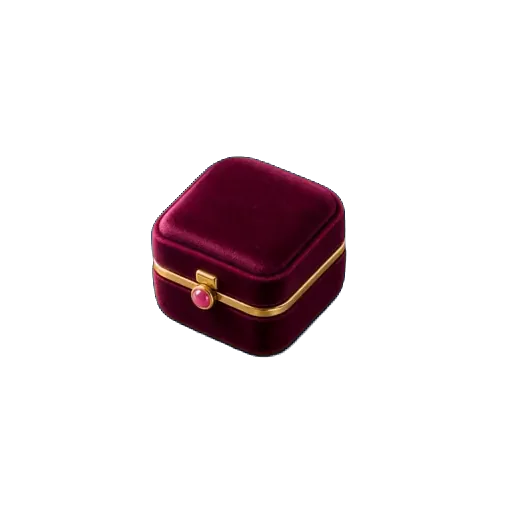
Empty rusty boxScrollRing boxEmpty puzzle boxSafePirate chestChampagne crateLockerSuitcaseMusic boxEvidence boxVault doorGift boxArcade cabinetAirlock

Typeface and size

37 typefaces and 6 text sizes, from a phone in hand to a screen across the room.

Or your own two pictures

Upload a closed and an open picture: the parcel as wrapped, then what was inside. Included with the Event Pass and Pro.

Every theme, every filmed animation, your own pictures, the celebrations, typefaces and text sizes come with the Event Pass or Pro. A basic lock keeps the default theme.

Build yours →
51
themes
45
filmed animations
37
typefaces
36
celebrations
15
lock types
5
player languages

Templates

Playable examples you can copy in one click. Try one first, then make it yours.

Mini escape roomEvent Pass
Medium25 min3 steps

Mini escape room

Three rooms, three mechanics, one final code. The shortest complete escape game you can run in a single room.

Locks used: Numeric code, Colour sequence, Touch pattern

Available in: EN · FR · ES · CA · PT · Free to open and edit. Published with an Event Pass or Pro.

Play the example
Treasure huntEvent Pass
Easy40 min3 steps

Treasure hunt

A three-stop outdoor hunt. Print one QR code per stop and let the trail do the rest.

Locks used: Numeric code, Direction (4 ways)

Available in: EN · FR · ES · CA · PT · Free to open and edit. Published with an Event Pass or Pro.

Play the example
Team building challengeEvent Pass
Medium45 min2 steps

Team building challenge

Two locks nobody can solve alone. Each teammate holds one piece of the answer.

Locks used: Ordered switches, Musical sequence

Available in: EN · FR · ES · CA · PT · Free to open and edit. Published with an Event Pass or Pro.

Play the example

FAQ

Can I use this in a paid escape room?
Yes, with Pro, which includes commercial use and removes the visible branding. The free plan is for personal and educational use.
What happens between two groups?
Nothing to do. Each browser gets its own session, so a group never sees the previous group's progress, and on Pro you can set a maximum number of players or a single-use mode if a run has to stay unique.
Does it work without a data connection?
The player needs a connection, because the answer is checked on the server rather than in the page. In a room with poor signal, a guest wifi network is enough.

Try the colour lock, then build your room.

The demo below is the exact widget your players get. Nothing to install, on either side.

Build an escape room lock →