Skip to content

A virtual lock creator that fits in a browser tab

A virtual lock is a challenge that stands between someone and a piece of content. You choose the mechanic, you choose the answer, and you choose what appears once they get it right. Everything happens in the browser: you build it on one device, your players open a link on another, and nobody installs anything.

Numeric code

Clue:

Enter the correct 4-digit code (the simplest sequence).

Pick the mechanic before you write the puzzle

The mechanic is the puzzle's grammar. A numeric code suits a date or a count. A colour sequence suits something visual in the room. A written answer suits a name people have to work out, and a GPS lock suits a place they actually have to stand in. Fifteen formats cover almost every physical clue you can leave behind, and each one has a preview so you can feel it before your players do.

The answer never reaches the browser

Discrete answers are canonicalised and stored as bcrypt hashes, then compared on the server. Nothing in the page source tells a curious player what to type, and continuous answers such as a bearing or a coordinate are verified numerically against parameters that stay server side. Attempts are rate limited per IP, so a script does not get to brute force a four-digit code.

Build it first, sign up only to keep it

You can choose a lock, set the answer, add the reveal and play the whole thing through before creating an account. The draft lives on your device until you decide it is worth keeping. That is the right order: you should know whether the tool works for you before you hand over an email address.

Share it the way the moment needs

Every published experience gets a short link and a downloadable QR code. Print the QR on a card, put it on a slide, or send the link in a message. With Pro you can add a start date, an end date, a maximum number of players, a time limit, a shared access code, or make it single use. And you can close it in one click.

Designed down to the last detail

Style every pixel of the lock, and watch it open on film.

Nothing on the screen is fixed. Pick a theme, choose a filmed object that fidgets while the lock holds and opens on video, with sound, when the code is right, then a celebration for the moment it opens. Set the typeface and size, and end on your own reveal. Your players see exactly the screen you designed.

Everything you can design on a lock →

Colours

51 themes, and more in the builder. Each one paints the lock, its keys and its button.

Video animations

45 filmed objects that fidget while the lock holds and open on video, with sound, when the lock gives way.

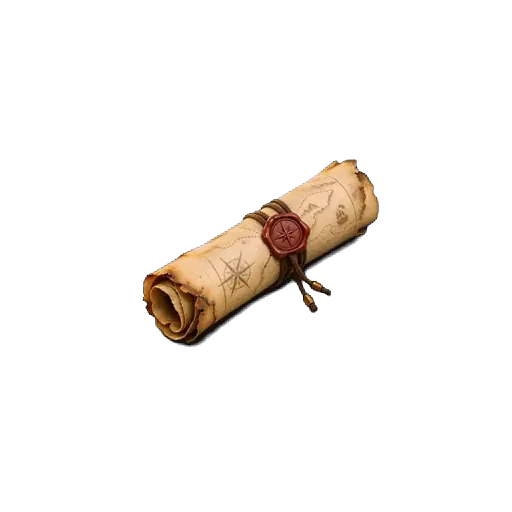
Empty rusty boxScrollRing boxEmpty puzzle boxSafePirate chestChampagne crateLockerSuitcaseMusic boxEvidence boxVault doorGift boxArcade cabinetAirlock

Typeface and size

37 typefaces and 6 text sizes, from a phone in hand to a screen across the room.

Or your own two pictures

Upload a closed and an open picture: the parcel as wrapped, then what was inside. Included with the Event Pass and Pro.

Every theme, every filmed animation, your own pictures, the celebrations, typefaces and text sizes come with the Event Pass or Pro. A basic lock keeps the default theme.

Build yours →
51
themes
45
filmed animations
37
typefaces
36
celebrations
15
lock types
5
player languages

Templates

Playable examples you can copy in one click. Try one first, then make it yours.

Mini escape roomEvent Pass
Medium25 min3 steps

Mini escape room

Three rooms, three mechanics, one final code. The shortest complete escape game you can run in a single room.

Locks used: Numeric code, Colour sequence, Touch pattern

Available in: EN · FR · ES · CA · PT · Free to open and edit. Published with an Event Pass or Pro.

Play the example
Treasure huntEvent Pass
Easy40 min3 steps

Treasure hunt

A three-stop outdoor hunt. Print one QR code per stop and let the trail do the rest.

Locks used: Numeric code, Direction (4 ways)

Available in: EN · FR · ES · CA · PT · Free to open and edit. Published with an Event Pass or Pro.

Play the example
Class quizEvent Pass
Easy15 min1 step

Class quiz

One question, one answer, the next resource behind it. The fastest way to use a lock in a lesson.

Locks used: Written answer

Available in: EN · FR · ES · CA · PT · Free to open and edit. Published with an Event Pass or Pro.

Play the example

FAQ

How long does it take to make one?
Under two minutes for a single lock: name it, pick a format, set the answer, paste what you want to reveal. Multi-step trails take longer because writing good clues takes longer, not because the tool does.
Do my players need an account?
No. They open a link and play. Only the creator has an account, and only so the experience can be saved, published and measured.
Can I change the answer after sharing the link?
Yes. The link is tied to the experience, not to its contents, so you can edit the answer, the reveal and the publication options without reprinting a single QR code.

Make the first one now.

Try the demo above, then build the real thing. Nothing is saved until you decide it should be.

Create a free lock →