Skip to content

Virtual locks for team building, built so nobody can finish alone

The failure mode of a team activity is one confident person doing all of it while everyone else watches. Virtual locks let you design against that: split the answer across the room, and the lock cannot open until the room talks to itself. That is the whole mechanic, and it works the same on a video call as it does in a conference room.

Ordered switches

Clue:

Flip 5, then 3, then 1.

Flip the switches in order

Split the answer, not the task

Give each person one piece: one digit, one colour, one note, one switch. No individual can guess the combination, and the group has to agree on an order before it can try. Ordered switches and musical sequences are particularly good at this, because being right in the wrong order still fails.

One QR code for the whole room

Put a single code on the screen. Everyone scans, everyone sees the same brief, and each device is its own session, so a team can work in parallel without stepping on each other. For remote sessions the link works exactly the same way in a chat window.

Chains, timers and a leaderboard

Chain several locks so the group moves through a route rather than a single question, add a countdown when you want urgency, and turn on competition mode so teams add their names when they finish. The statistics afterwards show attempts per step, which is usually the most interesting part of the debrief.

Facilitator control, without a rehearsal

On Pro, set an opening time so nobody starts early, cap the number of players, add a shared access code for an internal group, and close the whole thing in one click when the session ends. A live facilitator console with per-team timing, manual validation and penalties is in development for Studio and is not sold yet.

Designed down to the last detail

Style every pixel of the lock, and watch it open on film.

Nothing on the screen is fixed. Pick a theme, choose a filmed object that fidgets while the lock holds and opens on video, with sound, when the code is right, then a celebration for the moment it opens. Set the typeface and size, and end on your own reveal. Your players see exactly the screen you designed.

Everything you can design on a lock →

Colours

51 themes, and more in the builder. Each one paints the lock, its keys and its button.

Video animations

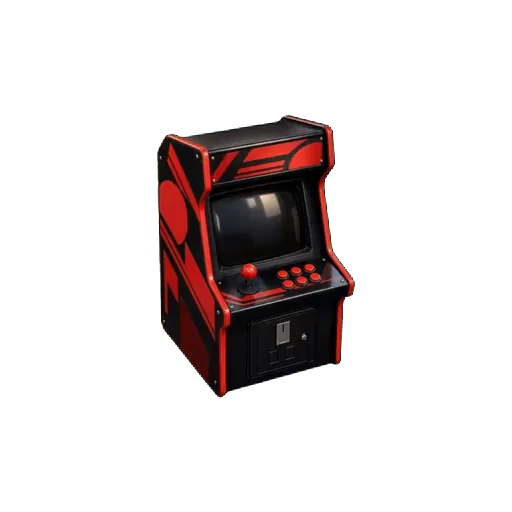
45 filmed objects that fidget while the lock holds and open on video, with sound, when the lock gives way.

Empty rusty boxScrollRing boxEmpty puzzle boxSafePirate chestChampagne crateLockerSuitcaseMusic boxEvidence boxVault doorGift boxArcade cabinetAirlock

Typeface and size

37 typefaces and 6 text sizes, from a phone in hand to a screen across the room.

Or your own two pictures

Upload a closed and an open picture: the parcel as wrapped, then what was inside. Included with the Event Pass and Pro.

Every theme, every filmed animation, your own pictures, the celebrations, typefaces and text sizes come with the Event Pass or Pro. A basic lock keeps the default theme.

Build yours →
51
themes
45
filmed animations
37
typefaces
36
celebrations
15
lock types
5
player languages

Templates

Playable examples you can copy in one click. Try one first, then make it yours.

Team building challengeEvent Pass
Medium45 min2 steps

Team building challenge

Two locks nobody can solve alone. Each teammate holds one piece of the answer.

Locks used: Ordered switches, Musical sequence

Available in: EN · FR · ES · CA · PT · Free to open and edit. Published with an Event Pass or Pro.

Play the example
Mini escape roomEvent Pass
Medium25 min3 steps

Mini escape room

Three rooms, three mechanics, one final code. The shortest complete escape game you can run in a single room.

Locks used: Numeric code, Colour sequence, Touch pattern

Available in: EN · FR · ES · CA · PT · Free to open and edit. Published with an Event Pass or Pro.

Play the example
Employee onboardingEvent Pass
Easy20 min2 steps

Employee onboarding

Turn the first-day pack into a short game. Two steps, and the new joiner has met three people.

Locks used: Written answer, Numeric code

Available in: EN · FR · ES · CA · PT · Free to open and edit. Published with an Event Pass or Pro.

Play the example

FAQ

Does it work for a remote team?
Yes. Everything is a link, so a distributed team plays from a chat message. Locks that require a physical presence, such as the real GPS check, are the only ones that do not travel.
How many people can play at once?
There is no technical limit. Players and attempts are unlimited on every plan, the free one included.
Can I use it for a paid corporate workshop?
Yes, with Pro, which includes commercial use and removes the visible branding.

Try the ordered switches, then split the answer.

The demo below fails when the order is wrong, which is exactly the property you want in a group.

Build a team challenge →