Skip to content

Classroom lock games and quiz templates for teachers

14 lock games for the classroom, playable with no account: a math riddle with a four-digit answer, a vocabulary lock, a science lock, history and geography codes, a melody to play on a piano, and a class quiz that chains them. Each one takes 4 to 30 minutes, at the start of a lesson on the class screen or on pupils' phones. Play one as your pupils would, then copy it and write your own questions in.

Building a full digital escape room, with no student login? Digital escape room maker for teachers.

Signature locks

The scene, the sound and the opening are done. You write the riddle and the reward.

14 templates

Christmas escape room: Santa's workshop
Easy15 min4 steps

Christmas escape room: Santa's workshop

Four doors of Santa's workshop to open before Christmas Eve: the tree, the sleigh, the stockings and the wrapping room. Short, visual riddles for a class or a family, about 15 minutes.

Locks used: Colour sequence, Direction (4 ways), Numeric code (PIN), Written answer

Available in: EN · FR · ES · CA · PT · KO · DE

Play the example
Winter break escape room: beat the blizzard
Easy15 min4 steps

Winter break escape room: beat the blizzard

A blizzard has snowed the class in on the last day before winter break. Four quick locks get everyone home: the calendar, the mittens, the snowflake and the footprints. Short, visual riddles for a class, about 15 minutes.

Locks used: Numeric code (PIN), Colour sequence, Written answer, Direction (4 ways)

Available in: EN · FR · ES · CA · PT · KO · DE

Play the example
Class quiz
Easy15 min1 step

Class quiz

One question, one answer, the next resource behind it. The fastest way to use a lock in a lesson.

Locks used: Written answer

Available in: EN · FR · ES · CA · PT · KO · DE

Play the example
Math riddle lock
Easy5 min1 step

Math riddle lock

A math riddle with a four-digit answer: one chain of small sums ends in the code. A warm-up for the start of a math lesson, on the class screen or on phones.

Locks used: Numeric code (PIN)

Available in: EN · FR · ES · CA · PT · KO · DE

Play the example
What am I riddle lock
Easy5 min1 step

What am I riddle lock

A what-am-I word riddle with one answer, typed on the lock. A five-minute vocabulary opener for a language lesson, in the pupils' own language.

Locks used: Written answer

Available in: EN · FR · ES · CA · PT · KO · DE

Play the example
Science riddle lock
Easy5 min1 step

Science riddle lock

One force, one word, one lock. A science warm-up that pupils solve on the class screen before the lesson starts.

Locks used: Written answer

Available in: EN · FR · ES · CA · PT · KO · DE

Play the example
History date lock
Easy5 min1 step

History date lock

A year hidden in a riddle, entered on a four-digit lock. A history opener that gets a whole class arguing about centuries and decades.

Locks used: Numeric code (PIN)

Available in: EN · FR · ES · CA · PT · KO · DE

Play the example
Geography riddle lock
Easy5 min1 step

Geography riddle lock

A capital city hidden in four clues, typed on the lock. A geography opener for the class screen, five minutes and no equipment.

Locks used: Written answer

Available in: EN · FR · ES · CA · PT · KO · DE

Play the example
Music note lock
Easy5 min1 step

Music note lock

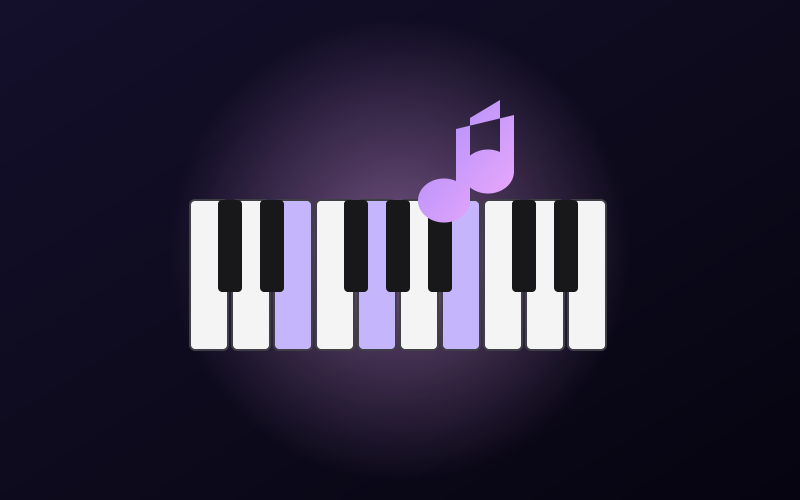
Listen to eight notes, then play them back on the piano keys. A five-minute ear exercise for a music lesson, on the class screen or on phones.

Locks used: Musical sequence

Available in: EN · FR · ES · CA · PT · KO · DE

Play the example
Express classroom escape game
Easy15 min3 steps

Express classroom escape game

Three riddles in fifteen minutes for the whole class, on the board or on phones: a trick calendar question, the sun on a map and a riddle that never dries. The last one opens the instruction or the reward you chose.

Locks used: Numeric code (PIN), Direction (4 ways), Written answer

Available in: EN · FR · ES · CA · PT · KO · DE

Play the example
Classroom escape game with music
Easy20 min4 steps

Classroom escape game with music

Four riddles in twenty minutes for the whole class: a trick calendar question, the sun on a map, a melody to play back on the piano and a riddle that never dries. The last one opens the instruction or the reward you chose.

Locks used: Numeric code (PIN), Direction (4 ways), Musical sequence, Written answer

Available in: EN · FR · ES · CA · PT · KO · DE

Play the example
Repeat the melody
Medium4 min1 step

Repeat the melody

Play a short melody, let them hear it three times, and they have to repeat it on the piano to unlock what is behind it.

Locks used: Musical sequence

Available in: EN · FR · ES · CA · PT · KO · DE

Play the example
Interactive training
Medium30 min2 steps

Interactive training

Two checkpoints that make a module active instead of passive. Learners earn the next resource.

Locks used: Switches, Username and password

Available in: EN · FR · ES · CA · PT · KO · DE

Play the example
Grandmaster Grid
Hard25 min1 step

Grandmaster Grid

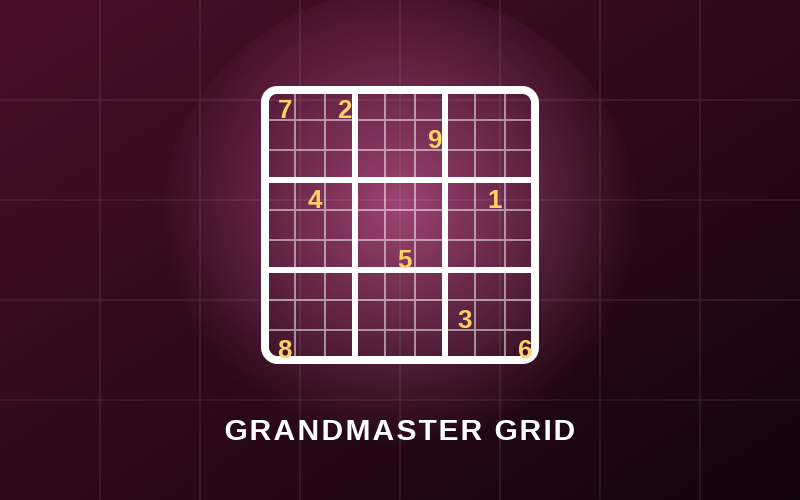
One hard sudoku, twenty-five minutes, one play per device. No hints beyond the rules, a clock the server keeps, and a time on the board for whoever finishes. The cleanest contest the product can run.

Locks used: Sudoku

Available in: EN · FR · ES · CA · PT · KO · DE

Play the example

Filmed objects for these locks

12 objects filmed for this occasion, in the builder: they fidget while the lock holds and open on video when it gives way.

Questions

How do I use a lock game in class?
Put the lock on the class screen and let the room solve it out loud, or share the link so pairs solve it on a phone. The reveal can be the day's topic, the page to open, a congratulations, or the next question. A lock is five minutes of attention at the start of a lesson, and pupils ask for the next one.
Can I change the questions and the answers?
Yes, everything. The riddle and the hint are plain text, the answer is a code, a word, a pattern or a melody of your choosing, and so is the wrong-answer message. Copy a template, replace its questions with this week's, and publish: the pupils see nothing of the template.
Do pupils need an account or an app?
No. They open a link or scan a QR code and play in the browser, on any phone, tablet or computer. Only the teacher has an account.